
Linux para produtores audiovisuais: 7 "pecados capitais" que podem arruinar sua Workstation

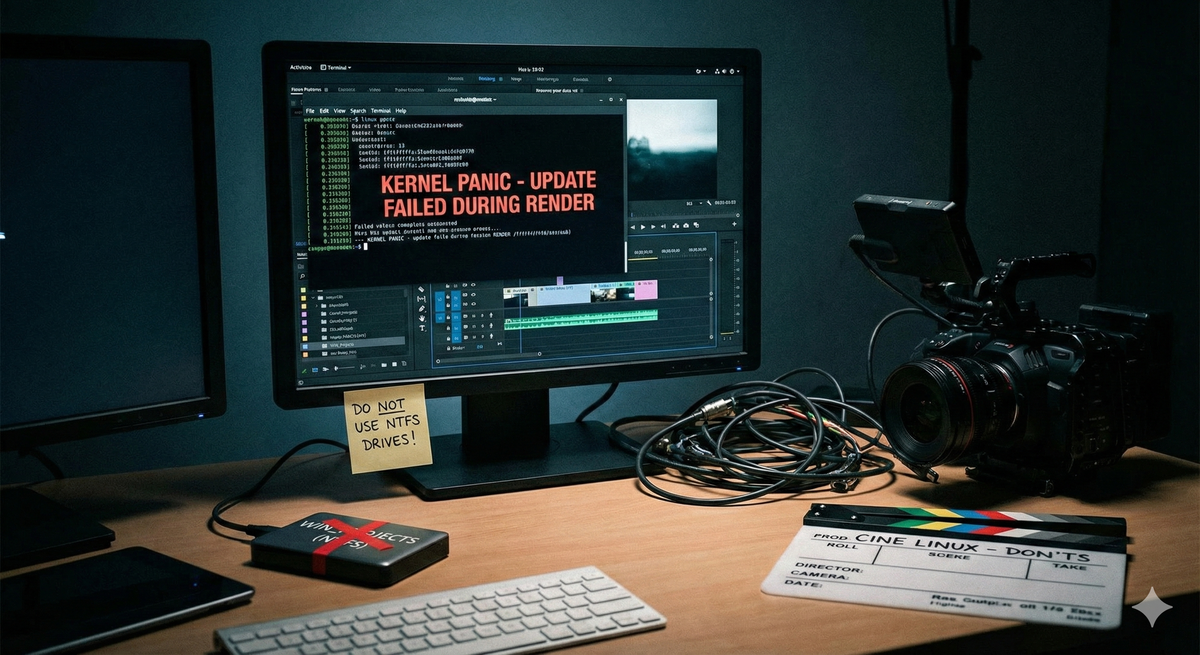
O Linux é o sistema operacional de Hollywood. De Duna a Homem-Aranha, as grandes render farms e estúdios de VFX rodam sobre o pinguim. No entanto, trazer esse poder para o seu home studio ou produtora requer disciplina.
Ao contrário do Windows ou macOS, o Linux te dá liberdade total para mudar tudo. E é exatamente aí que mora o perigo. Se você usa sua máquina para pagar as contas — seja editando no DaVinci Resolve, compondo no Nuke ou modelando no Blender — a estabilidade deve ser sua prioridade absoluta.
Aqui está o que você NÃO deve fazer se quiser manter sua sanidade e seus prazos em dia.
1. Não use distros “Bleeding Edge” (Rolling Release) em produção
Se você trabalha com prazos apertados, você não quer que uma atualização do kernel quebre seu driver da NVIDIA na manhã da entrega final.
- O Erro: Usar Arch Linux, Manjaro ou Fedora Rawhide em uma máquina crítica de trabalho.
- A Solução: Fique com as rochas sólidas. Rocky Linux (padrão da indústria para VFX/DaVinci), Ubuntu LTS ou Pop!_OS. A indústria de cinema se move devagar em termos de software; seu sistema operacional deve acompanhar esse ritmo, priorizando estabilidade sobre novidade.
2. Jamais atualize o sistema no meio de um projeto
Esta é a regra de ouro, válida para qualquer OS, mas crucial no Linux onde as dependências de bibliotecas são vitais.
- O Erro: Rodar um sudo apt upgrade ou dnf update casualmente enquanto você tem um projeto de 200GB aberto na timeline.
- O Risco: Atualizar bibliotecas (como glibc ou drivers de GPU) pode criar incompatibilidades instantâneas com softwares proprietários como o DaVinci Resolve ou Maya.
- A Prática: Congele seu sistema no início do projeto. Só atualize quando o render final for entregue e aprovado.
3. Não ignore o sistema de arquivos (Pare de usar NTFS)
Muitos editores migram do Windows e tentam manter seus HDs externos formatados em NTFS para “facilitar a troca”.
- O Erro: Editar vídeos pesados (4K/8K, RAW) diretamente de discos NTFS ou exFAT montados no Linux.
- O Problema: O driver NTFS no Linux (mesmo o ntfs-3g ou o novo driver do kernel) consome muita CPU (overhead) e não gerencia permissões de arquivos nativamente, o que pode causar gargalos de leitura/escrita e erros de banco de dados.
- A Solução: Formate seus drives de trabalho em EXT4 ou XFS. Se precisa trocar arquivos com Windows/Mac, use um NAS ou um SSD pequeno em exFAT apenas para transferência, não para edição.
4. Não use drivers Open Source (Nouveau) para GPU
No mundo do desktop Linux, amamos código aberto. No mundo do render 3D e Color Grading, amamos CUDA e OpenCL.
- O Erro: Instalar o Linux e não ativar os drivers proprietários da NVIDIA.
- O Impacto: O DaVinci Resolve, Blender (Cycles/OptiX) e Nuke dependem estritamente das bibliotecas proprietárias para aceleração de hardware. Sem elas, seu software nem abrirá ou rodará em câmera lenta.
- Dica: No Ubuntu/Pop!_OS, use a loja de drivers adicionais. No Rocky Linux, siga os guias oficiais da NVIDIA com rigor.
5. Evite a “salada de repositórios” (PPA Hell)
- O Erro: Adicionar 15 PPAs diferentes ou repositórios de terceiros para instalar versões beta de softwares aleatórios.
- O Risco: Conflito de dependências. De repente, o Blender precisa de uma versão de uma biblioteca, o OBS Studio precisa de outra, e seu gerenciador de pacotes quebra.
- A Solução: Use Flatpak ou AppImage para softwares secundários (como Discord, Spotify, Krita). Eles rodam isolados (sandbox) e não sujam seu sistema base, mantendo sua workstation limpa para as ferramentas pesadas.
6. Não subestime o Áudio (PipeWire vs. PulseAudio)
- O Erro: Ignorar a configuração de áudio e esperar que tudo funcione com latência zero.
- O Cenário: Softwares profissionais (como Reaper, Ardour ou a aba Fairlight do Resolve) muitas vezes procuram pelo servidor de áudio JACK ou ALSA direto para baixa latência.
- A Recomendação: Hoje em dia, certifique-se de estar usando PipeWire. Ele unifica o áudio de consumidor e o áudio profissional. Se sua distro ainda usa apenas PulseAudio, considere configurar o JACK ou migrar para uma distro que já traga o PipeWire por padrão (como versões recentes do Ubuntu e Fedora).
7. Wayland é o futuro, mas cuidado no presente
- O Erro: Forçar o uso do Wayland com placas NVIDIA antigas ou softwares que não foram atualizados.
- A Realidade: Embora o Wayland seja excelente, muitas ferramentas de calibração de cor (DisplayCAL) e tablets Wacom ainda têm comportamentos mais previsíveis no bom e velho X11 (Xorg). Além disso, o “screen tearing” e a precisão de cor de 10-bit ainda são, muitas vezes, mais fáceis de gerenciar no X11 para fluxos de trabalho profissionais. Teste antes de adotar.
Usar Linux para audiovisual é libertador. O gerenciamento de memória é superior, o render é frequentemente mais rápido e o sistema não reinicia sozinho para atualizar. Porém, uma workstation de cinema é uma ferramenta industrial, não um brinquedo.
Trate seu Linux com o rigor de um sysadmin, e ele lhe devolverá a performance mais estável da sua carreira.
E você? Já cometeu algum desses erros e perdeu horas de trabalho? Conta pra gente no nosso fórum! O link tá logo abaixo.
 Apoie o Cine Linux