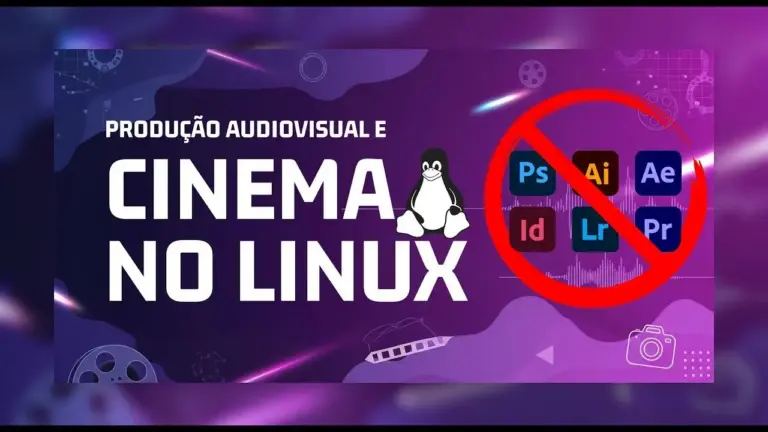
Have you ever felt that the universe of audiovisual production is a closed club, with open doors only for Windows and macOS users? If you are a penguin system enthusiast, you have probably already looked for solutions to run your projects and wondered if it was possible to have a 100% professional workflow on Linux.
The answer is a sound Yes.
Migration to Linux is often motivated by the search for a lighter, safer and more customizable system, away from excessive consumption of unnecessary hardware resources and privacy issues of other operating systems. Performance, especially in heavy tasks such as 4K rendering and editing, can be absurdly superior, simply because the system is not wasting its hardware with background processes like Windows for example does.
This guide is the ultimate proof that the Linux ecosystem is not only viable, it is also robust and full of cutting-edge software — Many of them free and standard in the Hollywood industry. Let's demystify the idea that you need the Adobe suite to create high-quality content.
We will dive into the 18 tools that cover all stages of audiovisual production.
Screenplay and Preproduction
Before any scene is recorded, the story must be born on paper (or on screen). And here we have two very powerful options:
Are you enjoying the content? How about supporting the Cine Linux team with the value of a cup of coffee?

Story Architect (Starc)
A powerful tool that goes far beyond a simple script editor. Formerly known as KIT Scenarist, Stark is a central hub for his ideas, allowing him to organize characters, locations, storyboards and even break down scenes.
- Strong Points: Extremely complete free version, intuitive interface and integrated preproduction features.
- Weak Point: Being relatively young, he is still building his portfolio in large productions.
- Replace: The late Adobe Story, but with much more features.
Official website: starc.app
Fade In
For those seeking a heavy option from the film industry, Fade In is the answer. He positions himself as the main competitor of the Final Draft, the most used script software in Hollywood.
- Strong Points: Used in large productions (like Rogue One and The Last of Us), professional features and workflow similar to Final Draft.
- Weak Point: It is a paid software (only purchase).
- Replace: Final Draft (which has no Linux version).
Official website: Fadeinpro. with
File Conversion and Management
Every filmmaker knows that dealing with different codecs and formats is a daily reality.
Shutter Encoder
The Swiss penknife of video formats. Based on the powerful FFMPEG, it converts virtually anything to anything. Need to create very light proxies, convert a file to a specific TV format or extract an audio? He'll fix it.
- Strong Points: Free, extremely light and fast, with a range of conversion options far superior to Adobe Media Encoder.
- Weak Point: The interface may look complex for beginners, but it is very functional.
- Replace: Adobe Media Encoder.
Official website: Shutterencoder. with
Video Editing
The heart of post-production, where magic really happens and stories start to come to life.
DaVinci Solves
The main post-production suite on the market. Industry standard for colouring (color grading), Resolve is a monster that integrates editing, visual effects (with Fusion), audio processing (with Fairlight) and completion into a single software.
- Strong Points: Crazy powerful free version, complete workflow, superior Linux performance and default (mainly colorization) in Hollywood (used in movies like Avatar., Deadpool and La La Land).
- Weak Point: The free Linux version does not export on H.264/H.265 (a problem easily solved with Shutter Encoder) and requires more robust hardware.
- Replace: Adobe Premiere Pro, After Effects and Audition.
Official website: blackmagicdesign.com/br/product/davinciresolve
Kdenlive
The darling of the open source community. For those who do not have such a powerful machine to run Solve, Kdenlive is a fantastic alternative: light, 100% free and with robust features for mounting and coloring.
- Strong Points: Totally free and open source, lightweight and with an active community.
- Weak Point: It does not have the same amount of advanced tools and AI as DaVinci Solves.
- Replace: Adobe Premiere Pro (for essential editing tasks).
Official website: kdenlive. org
Visual Effects (VFX) and Motion Graphics
To create the impossible, from explosions to graphic animations.
Fusion
Integrated with DaVinci Solve, Fusion is an extremely powerful nodal composition software used to create high-level VFX and motion graphics.
- Strong Points: Nodal system (preferred in the VFX industry), full integration with Solsol.
- Weak Point: The learning curve is greater for those who come from a layer system such as After Effects.
Official website: blackmagicdesign.com/br/product/davinciresolve/fusion
Nuke
The absolute king of Hollywood composition. If a movie has complex visual effects, it's almost certain Nuke was used.
- Strong Points: Industry standard, incomparable power and flexibility for VFX.
- Weak Point: Extremely prohibitive price for freelancers and small studios.
Official website: Foundry. with/products/nuke-family/nuke
Natron
The free and open source alternative to Nuke. With an almost identical interface and workflow, Natron is the gateway to the world of professional nodal composition.
- Strong Points: Free, powerful for VFX composition and great for learning Nuke's workflow.
- Weak Point: Slower development and is not ideal for motion graphics (does not deal well with scalable vectors).
Official website: natrangithub.github.io
Friction
An alternative to little known but very promising motion graphics. Layer-based (like After Effects), Friction is a software fork Envelops with a more enjoyable and optimized interface.
- Strong Points: Free, family layer system for After Effects users, light and good for 2D animation.
- Weak Point: Community and tutorials are still scarce.
Official website: Friction. graphics
Left Angle Autograph
A tool that promised to be the ultimate replacement of After Effects, combining a layer system, a 3D rendering engine and vector illustration tools far superior to Adobe, this in software that required half processing and ram.
Official website: Left-angle. with
- Important note: On 05/06/2025, the Autograph was acquired by Maxon (the company behind the 4D Cinema) and was discontinued overnight. Your future is uncertain, we don't know if you'll be back in business or integrated into other Maxon products. Information is maintained here for its historical and conceptual value.
3D Creation
To model characters, objects and whole worlds.
Blender
The crown jewel of open source software. Blender is a complete and 100% free 3D monster used for modeling, 2D and 3D animation, simulation and rendering. Won an Oscar with the animation I Flow to You and was used in Netflix productions as Next Gen.
- Strong Points: Free, absurdly complete and professionally used in the industry.
- Weak Point: The interface can be intimidating at first; by doing everything, it may not be as specialized in certain areas as dedicated software.
- Replace: 4D cinema, 3ds Max, Maya.
Official website: Blinker. org
Houdini
The master of procedural effects. When it comes to simulation of fire, water, smoke and complex destruction, the Houdini is the king.
- Strong Points: Incomparable control over physical simulations and procedural effects.
- Weak Point: Brutally difficult learning curve and high price for commercial use.
Official website: sidefx.com/product/houdini
Graphic Design and Illustration
Often, a video project needs graphics assets, and Linux also has the solution.
Affinity Suite (Designer, Photo, Publisher)
The Affinity suite is Adobe's strongest competitor in the design world. Although not native to Linux, it works perfectly through compatibility layers like Wine or Bottles.
- Strong Points: Single purchase (unsigned), extremely powerful and professional, preferred by many designers even on Windows/macOS.
- Weak Point: It is not native, requiring a small initial configuration.
- Replace: Adobe Illustrator, Photoshop and InDesign.
Official website: Affinity. serif.com
GIMP
The classic open source world image editor. It is a powerful tool for photo manipulation, digital painting and design.
- Strong Bridges: Free and with a giant community. With patch PhotoGIMP (of the Diolinux project), its interface and shortcuts are very similar to those of Photoshop, facilitating migration.
- Weak Point: The default interface is unintuitive for former Photoshop users and the development of new features can be slow.
Official website: gimp. org
Inkscape
The main alternative to Adobe Illustrator. It is a complete vector graphics editor, free and powerful, perfect for creating logos, icons and illustrations.
- Strong Points: Free, as powerful as Illustrator for most tasks and great integration with other software (such as DaVinci Resolve, which reads your SVG files natively).
- Weak Point: It can be slow in extremely complex vector projects.
Official website: Inkscape. org
Audio Postproduction
The look is only half the film, the other half is audio.
Fairlight
Digital Audio Workstation (DAW) integrated with DaVinci Solves. It is a complete tool for editing, mixing and mastering sound, overcoming Adobe Audition in many ways.
- Strong Points: Perfect integration with the video workflow, professional resources.
- Replace: Adobe Audition.
Official website: blackmagicdesign.com/br/product/davincresolve/fairlight
Reaper
An extremely light, customizable and affordable DAW. It is loved by audio professionals and music producers for its flexibility and fair price.
- Strong Points: Lightweight, customizable and with a low-cost license.
- Weak Point: The interface may seem too simple for the amount of resources it offers.
Official website: reaper. fm
Audacity
The "grandfather" of the free audio editors. It is simple, fast and perfect for basic tasks such as cutting audio, removing simple noises and making quick recordings.
- Strong Points: Free, easy to use and known to almost everyone.
- Weak Point: Its edition is "destructive" (changes are permanent) and is not ideal for complex mixing.
Official website: audacityteam. org
Conclusion: Keep Creating!
As we have seen, the Linux ecosystem is a fertile ground for creativity. Stop using the suite Adobe does not mean sacrificing quality or professionalism. On the contrary, it can mean a gain in performance, more freedom of choice and, in many cases, a significant economy.
The learning journey for some of these tools may be different, but the potential they unlock is immense.
Which of these softwares do you already use? What was missing on the list? Leave your comment below and let's build together the largest audiovisual production community on Linux!
Share this article with that friend who still thinks Linux is only for programmers and let's together show the power of cinema in the penguin system!
Did you like the contents? How about supporting the Cine Linux team with the value of a cup of coffee?

