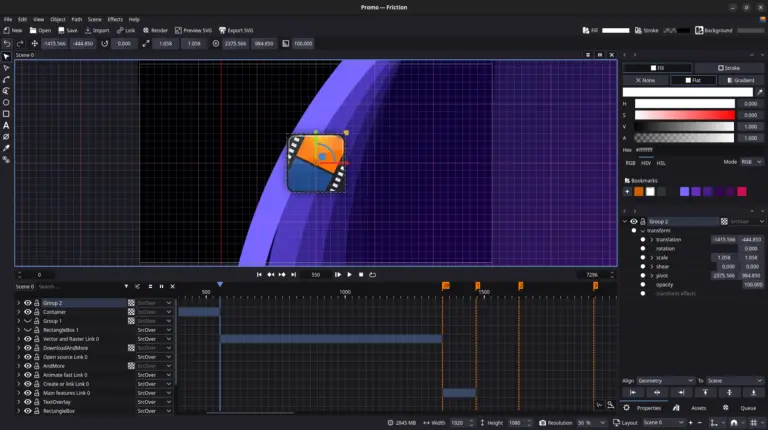
To close the year with a gold key, Friction Graphics has just announced the launch of version 1.0.0-rc.3.
If you use Friction for your motion graphics and 2D animation productions, this update brings changes that will directly impact your daily workflow.
Although it is a Release Candidate (application for release), developers decided to break the default protocol and include "vanguard" features that promise to transform the user experience (UX) even before the final version 1.0.
Check out the highlights we've separated for those who live in the terminal and the timeline:
End of "Tentative and Error": Gizmos, Grid and Snapping
The biggest novelty of this version is the introduction of visual tools that bring Friction to the expected level of precision in professional industry software.
Gizmos (Interactive Brokers)
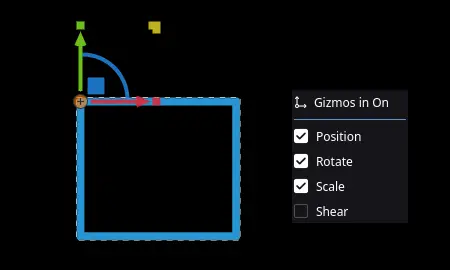
Now it is possible to manipulate objects directly in Canvas. Friction introduced dedicated handles for Position, Rotation, Scale and Tilting (Shear). You can switch which handles you want to see through the new menu in the bottom bar. This speeds up animation, allowing visual adjustments without having to type numerical values at all times.
Are you enjoying the content? How about supporting the Cine Linux team with the value of a cup of coffee?

Grid and Snapping System
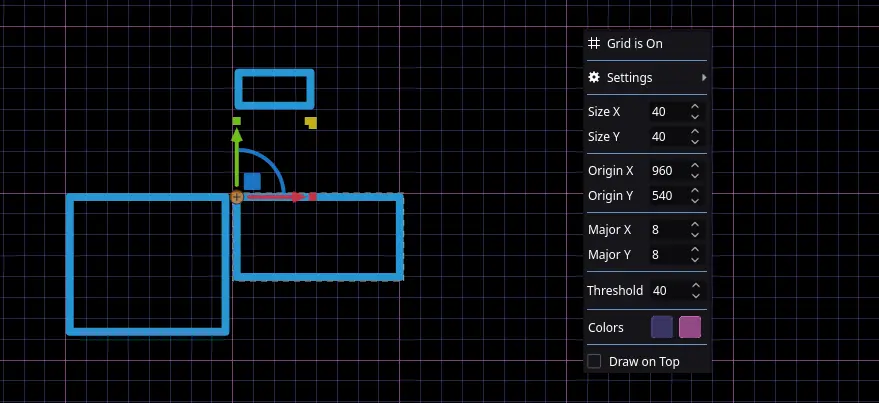
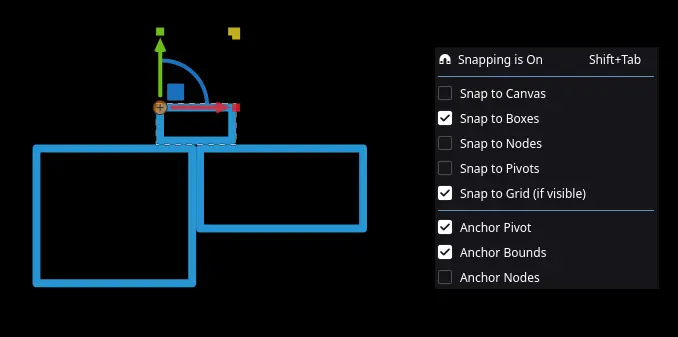
The eye alignment is over. The new grid system helps in layout organization, and the Snapping feature (magnetic attraction) allows you to align objects to Canvas, Boxes, Nodes, Pivots and Grid itself.
Workflow Tip
Use Shift + Tab to quickly switch the snapping while working.
Rendering and Compatibility
For us who work with 100% Linux pipeline, this is the most critical correction: Constant Frame Rate Support (CFR).
In previous versions, exported videos could show variations in frame rate, which caused huge headaches by importing files to nonlinear video editors (NLES), resulting in audio dyssynchrony. The RC3 version fixes this, ensuring much better compatibility with Kdenlive and other editors.
Desktop Linux (XFCE and COSMIC)
The Friction team continues to show affection for the particularities of our system:
XFCE: Fixed the problem of missing or broken application icons.
COSMIC Desktop: For those already adventuring in the new System76 environment, Friction now supports server-side decorations, integrating visually better into the system.
Other Technical Improvements
- Native SVG Optimizer: A custom SVG optimizer (substituting external SVGO) has been added with an "Optimize for Web" option on export.
- Nudes: New actions for "Remove No", "Divide Nodes" and "Invert Order" bring more flexibility to visual programming.
- Monitoring: Now there is a memory usage meter (RAM) in the status bar, essential for those who render heavy scenes on machines with limited resources.
Final considerations
Friction 1.0.0-rc.3 shows that the tool is maturing rapidly. The inclusion of Gizmos and the correction of CFR for video editors remove two of the biggest barriers to software adoption in a real production environment.
If you want to test the news, the download is already available. As always, because it is an RC version, we recommend caution in critical projects that are about to be delivered.
Have you ever used Friction on any commercial projects? Share your work with us at the forum or mark @CineLinux on social networks.
Did you like the contents? How about supporting the Cine Linux team with the value of a cup of coffee?

